First Session Plan for the Alien Invasyndrome Demo
A 45–60 minute checklist — install cleanly, learn hide rhythm, bank nest progress, scout Kitchen, quit before Security greed
Content note
Alien Invasyndrome (Steam app 4603980) is an 18+ stealth-action Demo by Mozu Field / 百舌鳥, published by Shady Corner Games. You are a fragile alien larva aboard Atlas. This page is a practical 45–60 minute first-session checklist — not a full clear, not a boss guide. Full release is TBA; wishlist on Steam after a disciplined first hour.
Pair with How to Play for loop theory and Common Mistakes for wipe patterns to avoid. Linear spine later: Demo Walkthrough.
Before launch — Steam, hardware, and official access (0–10 minutes)
- Install only from the official Steam Demo flow on app 4603980. No mirrors — see Demo Access.
- Confirm developer Mozu Field / 百舌鳥 and publisher Shady Corner Games on the store page.
- Configure Steam adult content filters if the listing is hidden.
- Skim System Requirements: Windows 10+, reasonable storage, OpenGL-capable GPU.
- Note your installed version string; May 2026 community framing centers on Demo 1.0 hotfix — compare against Changelog after first launch.
- Wishlist the TBA full game while the Demo downloads.
This block prevents the most expensive first-session mistake: playing an unofficial build and then arguing with wiki routes that match the real Demo.
Locale and keyboard sanity (10–15 minutes)
Non-Japanese Windows installs often hit unreadable menu glyphs on first boot. Fix that before you call the intro broken.
- Set up Locale Emulator if prologue text is missing, tiny, or misaligned.
- Confirm movement, interact, hide, and cancel on Keyboard Controls — write them on paper if needed.
- Launch the Demo once, reach menus, quit, relaunch through the same locale path so behavior is consistent.
Locale Emulator helps you read Atlas. It does not fix save files — persistence hygiene lives on Save and Progress.
Opening minutes — movement lab, not tourism (15–20 minutes)
Treat the intro as a movement and camera lab:
- Walk corridors without sprint panic.
- Find one desk or equivalent softlock near your starting lane.
- Learn that detection is expensive — plan on about one minute under cover after a clear spotting (Stealth and Detection).
- Do not run toward Kitchen, Clinic, Laboratory, or Security doors yet.
If you get spotted during learning, that is success — you are practicing the hide tax, not failing the Demo.
Softlock drill — the skill that saves the session (20–30 minutes)
Before nest greed or room tourism, drill desk hide until it is boring:
- Enter cover deliberately when a patrol turns toward you (or simulate a spot on purpose once).
- Wait the full detection window — use the Detection Timer so you do not exit at forty seconds.
- Exit with a single clean input when the exit tile is clear.
- Repeat enter → wait → exit three times in a low-threat space.
If you cannot leave cover calmly, read Common Mistakes section on desk softlocks versus true stuck states before advancing. Escalate to Softlock Fixes only after two calm retries fail.
Players who skip this drill arrive at Kitchen with no recovery tool and blame patrol RNG.
Nest bank — your first real win condition (30–40 minutes)
The larva stays weak until the colony loop converts quiet windows into progression. Your first session should include at least one honest nest bank, not zero nests and maximum sightseeing.
Pre-flight with Nest Checklist:
- Line of sight clear for the full interaction.
- Cover assigned one short dash away.
- Not inside the detection penalty window.
- Abort rule ready if a head turns mid-nest.
Deep mechanics: How to Nest. Spend first skill points toward stealth and nesting support per Early Build — not a full STR dump before you can softlock on command.
Optional five-minute save drill after the nest bank: save if the Demo allows, quit to desktop, relaunch, confirm nest state matches. Document quirks on Save and Progress instead of stacking a long grind on an untested slot.
Kitchen scout — one comfort loop, then stop (40–55 minutes)
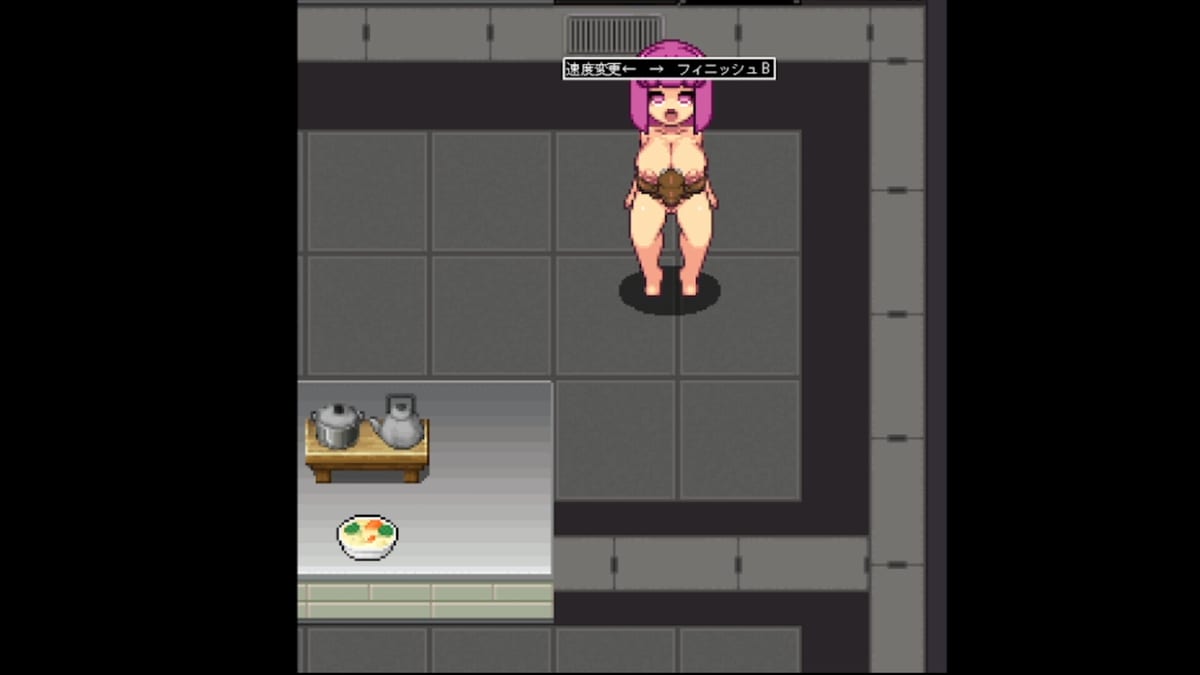
Kitchen is the featured mid-Demo classroom: short patrol loops, furniture that matters, doorway timing. Your first session goal is one scout-and-commit cycle, not a full wing clear.
Kitchen session habits:
- Watch one full patrol from corridor shadow before entering the main floor.
- Commit one interaction only when the blind arc opens.
- Softlock immediately if aggro spikes; wait the full hide minute if spotted.
- Bank nest progress or confirm your earlier bank still holds — do not chain into Security half-dead.
Room detail: Kitchen Route. Map names for later: Atlas decks and key rooms stay on the wiki map hub; you do not need Cafeteria or Laboratory mastery in hour one.
Stop before Security greed (55–60 minutes)
Security Room is where first-session accounts go to die. Cameras, desks, Route A / Route B pressure — all of it assumes nest income, skill safety, and hide discipline you just built. End session here if:
- You have not completed the softlock drill cleanly.
- Nest bank never happened or rolled back on reload.
- Detection timer still feels like a “bug.”
- You are curious about Laboratory because a YouTube thumbnail looked cool.
Security belongs to session two after you re-read Common Mistakes and optionally continue Demo Walkthrough from the Kitchen chapter forward.
First-session checklist (copy-friendly)
| Minute block | Task | Wiki anchor |
|---|---|---|
| 0–10 | Official Steam install + wishlist | Demo Access |
| 10–15 | Locale + keyboard | Locale Emulator |
| 15–20 | Intro movement lab | How to Play |
| 20–30 | Softlock drill + detection timer | Stealth and Detection |
| 30–40 | Nest bank + early skills | How to Nest, Early Build |
| 40–55 | Kitchen scout loop | Kitchen Route |
| 55–60 | Quit before Security | Common Mistakes |
What a successful first hour feels like
You should leave the session able to:
- Hide under a desk without mashing.
- Wait roughly one minute after a spot without restarting.
- Explain why nesting beat Laboratory tourism.
- Point to one Kitchen patrol pattern you mapped.
- Name your next session goal (Security prep or second nest loop) without tilt.
You do not need boss damage, Security Route mastery, or full Atlas deck completion. The Demo is a slice; treating hour one like a speedrun to Security is how Common Mistakes lists get written.
After session one
- Note version string against Changelog.
- If saves behaved oddly, log symptoms on Save and Progress before session two.
- Continue linear clear at Demo Walkthrough Chapter 4 onward when nest and hide fundamentals are boring.
- Wishlist Steam 4603980 if the larva fantasy clicked.
Bottom line
A good Alien Invasyndrome first session is deliberately small: official install, readable UI, softlock rhythm, one nest bank, one Kitchen scout, clean exit before Security greed. Atlas rewards patience on Demo 1.0 hotfix-era builds; it punishes players who treat detection hide as lag and nest economy as optional homework.
Frequently Asked Questions
Quick answers to common Alien Invasyndrome questions.
How long should my first Alien Invasyndrome Demo session be?
Plan 45–60 minutes: install and locale setup, softlock drill, one nest bank, Kitchen scout, then stop before Security Room pressure.
Should I reach Security Room on day one?
No. Security assumes nest income and hide discipline. End session one after Kitchen scout unless fundamentals are already automatic.
When do I set up Locale Emulator?
Before blaming the intro — usually in the first 15 minutes if Japanese UI is unreadable on your Windows locale.
What is the minimum nest goal for session one?
At least one honest nest bank with cover assigned and no detection penalty active. Use Nest Checklist and How to Nest.
Should I test saves during my first hour?
Yes, a short reload drill after your first nest bank saves pain later. See Save and Progress for hygiene.