Alien Invasyndrome Soundtrack and BGM Notes
How Atlas audio supports stealth tension — mechanical appreciation, not track spoilers
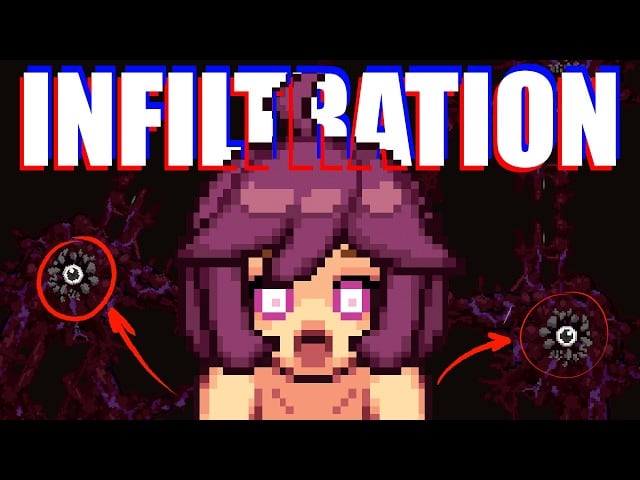
What this page is
Alien Invasyndrome is an adult stealth-action Demo on Atlas. This Review-section page appreciates audio direction — how BGM and ambient beds support hide / commit / retreat loops — without turning into a spoiler tracklist or a scene guide. Brief 18+ notice: mature themes exist in the product; we keep tone mechanical and tasteful.
Developer Mozu Field / 百舌鳥, publisher Shady Corner Games, Steam app 4603980. Full release TBA. Demo checkpoint framing: Demo 1.0 hotfix (May 2026) — Changelog, Version History.
Hub: Review Hub. Buyer siblings: Demo Review, Pros and Cons. The embedded BGM video is a real listen-along reference, not a substitute for playing the Demo.
Why stealth games live or die on audio beds
Sight cones teach danger. Audio teaches patience. A good Atlas session uses BGM to:
- Mark the difference between scouting time and commit time.
- Make the ~1 minute detection hide feel intentional rather than empty (Stealth and Detection, Detection Timer).
- Keep Clinic first-meeting attention from collapsing into silence panic (Clinic Doctor Route, Doctor).
- Give Kitchen loops a rhythm you can practice against (Kitchen Route).
If you mute everything to “focus,” you may improve raw sightline reads and still lose the Demo’s tension grammar. Try one session with game audio on before you decide the wishlist.
Mechanical appreciation (what to listen for)
Low beds during scout phases
Door-frame scouting and three-cover naming (Vents and Cover) benefit from beds that stay out of the way of UI beeps. If a track is too busy, lower music slightly — not to zero — so interact prompts still read.
Pressure lifts after spotting
When a crew confirms you, the mix often feels like it “leans forward.” Use that as a cue to softlock, not to sprint. Desk recovery: Softlock Fixes.
Commit windows
Nest and capture commits (How to Nest, How to Capture) are where tasteful restraint matters. The wiki will not narrate adult audio cues; the useful advice is: if the mix pulls your eyes off the sightline, abort the commit and re-scout.
Room identity without a map open
Kitchen, Clinic, Lab, Cafeteria, and Security can feel different even before you name them (Key Rooms). Audio identity is part of Demo readability — same as furniture density.
How soundtrack notes fit a wishlist decision
Soundtrack alone should not sell an adult stealth Demo. Pair audio impressions with:
- Loop quality — Demo Review
- Friction list — Pros and Cons
- Store / TBA honesty — Steam Status, Demo Access
- Systems truth — How to Play, Guides Hub
If BGM hooked you but softlocks rage-quit you, fix systems before writing a soundtrack essay. If systems clicked and audio felt flat on your speakers, check Windows volume mixer and headphones before blaming the mix.
Practical listening setup for Demo sessions
- Confirm the Demo launches cleanly (System Requirements).
- Disable overlapping Discord / browser autoplay so Atlas beds are the only music.
- Keep SFX audible enough to hear interact / hide feedback (Stealth Actions).
- Run a Kitchen softlock drill with audio on.
- Run a Clinic doorway scout with audio on.
- Only then decide whether soundtrack is a wishlist plus for you.
Locale issues are not audio issues — fix unreadable UI via Locale Emulator separately.
Historical audio vs current build
BGM uploads and older gameplay recordings can predate room expansion or Doctor event pacing (Version History). Treat external BGM videos as appreciation samples. Prefer the mix inside your installed Demo 1.0-era build when judging today’s product.
Tasteful boundaries for this wiki
We will:
- Describe how audio supports stealth timing.
- Link real BGM references when IDs are verified.
- Cross-link systems pages heavily.
We will not:
- Publish pornographic audio breakdowns.
- Claim unofficial rip packs as “the OST download.”
- Encourage piracy of build archives.
- Invent track titles Steam never published.
Support the developers via Steam wishlist / purchase and official creator channels (Demo Access).
Suggested reading after listening
- Still deciding? Pros and Cons → Demo Review.
- Hooked on tension? Practice Stealth and Detection and Vents and Cover.
- Ready to clear? Demo Walkthrough and Walkthrough Hub.
- Curious about mid-preview audio/gameplay age? Version History.
Related pages
- Review Hub
- Demo Review
- Pros and Cons
- Updates Hub
- How to Play
- Stealth and Detection
- Clinic Doctor Route
Bottom line
Alien Invasyndrome’s BGM earns attention when it makes softlock minutes and commit windows feel authored. Listen inside a clean Steam Demo session, keep appreciation tasteful, and let soundtrack notes support — not replace — stealth literacy and an honest TBA wishlist decision.
Frequently Asked Questions
Quick answers to common Alien Invasyndrome questions.
Is this an official OST download page?
No. It is a tasteful appreciation of Demo audio direction with a verified BGM listen reference. Use official Steam / creator channels for support.
Should I play muted for better stealth?
Try at least one session with game audio on. Beds and SFX often cue commit vs hide better than sightlines alone.
Does soundtrack quality alone mean I should wishlist?
No. Pair audio impressions with Demo Review and Pros and Cons, plus a real stealth session.
Why might a BGM video disagree with my Demo?
External uploads and older builds age. Prefer the mix in your installed Demo and place footage on Version History.
Where do I go after reading soundtrack notes?
Practice systems via Guides Hub or decide the wishlist via Steam Status / Demo Access.